
Local SEO for restaurants: the complete guide for HoReCa owners
For restaurants, local SEO means appearing in top 3 when someone searches your keyword (e.g., pizza Manchester). The combination that works: perfectly optimized GBP (specific category, professional photos, exact hours) + 100+ reviews with rating above 4.3 + updated online menu + weekly posts + coordinated multi-location strategy.
- Competitive restaurants in Local Pack have in common: menu on site (visible in Google), 100+ active reviews, professional photos, and 1+ weekly posts on GBP.
- Primary category on GBP must be the most specific: not Restaurant, but Pizza Restaurant or Italian Restaurant.
- Professional photos make the difference between 30% and 60% click rate for same rank in Maps.
- Multi-location: each location has its own GBP profile with local manager, not copy-paste from main location.
- For visible results in 90 days: minimum 30-50 new reviews, 12-15 GBP posts, 1-2 blog articles with local keywords.
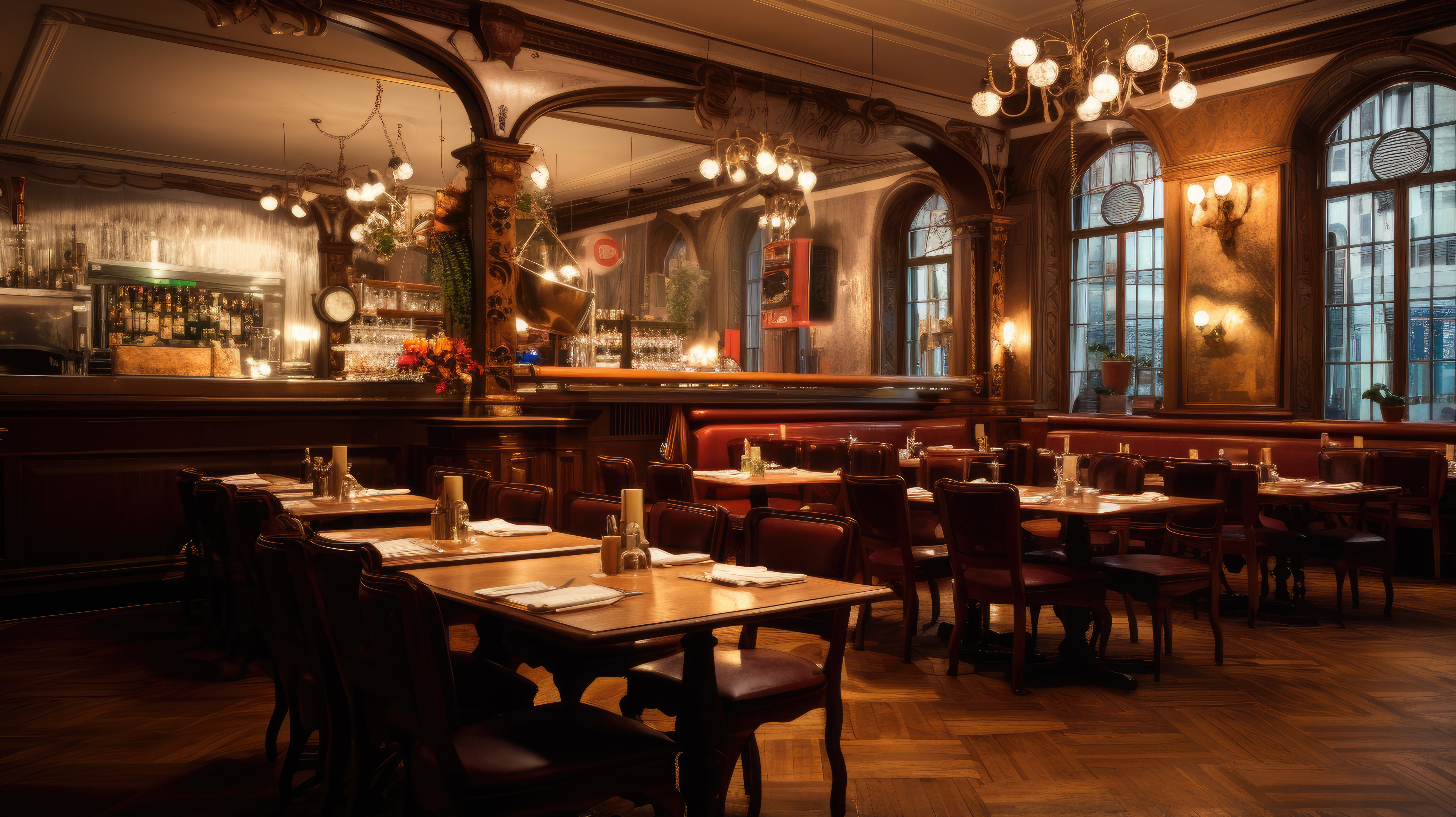
For a local restaurant, local SEO isn't fancy marketing. It's business-critical. 70% of new customers discover a restaurant through Google Maps or local search. If you're not in top 3 for your main keywords, you're invisible to most of your audience.
This guide is written for restaurant, cafe, and bar owners. It's specific to the HoReCa industry and differs from generic local SEO by several key elements: importance of online menu, food photography, weekly posts, managing critical reviews.
This material comes from real experience with multiple HoReCa locations and focuses on what works in 2026, not what worked 5 years ago.
Why local SEO for restaurants is different
Compared to a medical office or beauty salon, restaurants have several specific characteristics:
High decision frequency. People decide "where do we eat" daily or weekly. That means a restaurant gains or loses customers every week, not once a year.
Higher review volume. Restaurants receive reviews much more often than most businesses (customers post-visit have time and motivation to write).
Photo importance. Food needs to look good. Profiles with professional photos receive 2-3x more clicks than those with phone photos.
Intense competition. In big cities, a neighborhood has 20-50 restaurants. The difference between positions 1-3 and 8-10 in Maps can be 70% of traffic.
Seasonality and events. Weather, holidays, local events influence traffic. Local SEO for restaurants must be agile.
Step 1: Perfectly optimized Google Business Profile
Foundation. Before anything, your profile must be complete at maximum level.
Primary category
The biggest lever you control. For restaurants:
| Suitable category | Cases |
|---|---|
| Pizza Restaurant | Pizzerias with pizza-focused menu |
| Italian Restaurant | Italian generalist restaurant |
| American Restaurant | With traditional American menu |
| Brasserie | French bistro style or similar atmosphere |
| Steakhouse | Meat / steak specialization |
| Asian Restaurant | Asian fusion generalist |
| Vietnamese Restaurant | Pho/Vietnam specialization |
| Japanese Restaurant | Sushi or Japanese cuisine |
| Vegan Restaurant | 100% vegan |
| Cafe | Coffee shop with breakfast / lunch |
| Bistro | Bistro with breakfast + lunch + dinner |
| Bar | Bar with drinks focus |
| Wine Bar | Wine specialization |
Common mistake: choosing too generic category ("Restaurant"). That makes you displayed when someone searches any restaurant type, but doesn't help you be top for anything specific.
Secondary categories
Add 3-5 categories to cover specific cases:
Example for an Italian restaurant with pizza:
- Primary: Italian Restaurant
- Secondary: Pizza Restaurant, Pasta Restaurant, Wine Bar, Family Restaurant
Business name
Check that name is exact on GBP, site, social media, and other platforms. Inconsistencies reduce ranking.
Legitimate trick: if the business name includes the keyword, ranking is better. "Pizza Roma" ranks easier for "pizza Manchester" than just "Roma." Don't modify the real name, but if you do rebranding, consider the SEO factor.
Description (750 characters)
For restaurants, the structure that works:
- First sentence: what you are and where (main keywords)
- Second: what differentiates you (main ingredient, method, atmosphere)
- Third: for whom (family, groups, business, romantic)
- Fourth: practical details (booking, parking, delivery)
Example:
Italian restaurant with wood-fired pizzeria in central Manchester. Traditional Neapolitan pizza with wood oven and ingredients imported weekly from Italy. Our 60-table location is suitable for family dinner, private events up to 30 people, or business lunch with free wifi. Booking at 0161 234 5678, delivery via Deliveroo and Uber Eats, own parking available.
Attributes filled
All relevant attributes. For restaurants:
- Accepts cards / cash only
- Has terrace
- Family-friendly
- Pet-friendly
- Wheelchair accessible
- Free WiFi
- Own parking / street parking
- Take-away
- Delivery
- Reservations recommended
- Special services (catering, private events)
Attributes influence when Google shows you for specific searches ("restaurant with terrace Manchester").
Step 2: Professional photographs
For restaurants, photos are critical. More than for any other industry.
Types needed
Exterior (3-5 photos):
- Daytime facade
- Evening facade (with lights)
- Entrance with visible logo
- Terrace if exists
Interior (10-20 photos):
- Main room general perspective
- Details (tables, chairs, decor)
- Bar if exists
- Group / events area
- Evening lights (atmosphere)
Food (20-50 photos):
- Top 10 signature dishes
- Seasonal specialties
- Signature drinks
- Desserts
- Professional plating, good light
Team (with permission, 5-10 photos):
- Chef at work
- Team in kitchen
- Bartender / waiter
- Owner (if OK)
Atmosphere (10-20 photos):
- Customers at table (with permission)
- Special events
- Seasonal (Christmas, summer on terrace)
Quality
Never phone. Minimum DSLR or mirrorless with basic light knowledge. Investment: $100-300 for a professional session with 50-100 usable photos.
ROI: chance of click in Maps increases by 30-60% with professional photos vs phone.
Step 3: Detailed online menu
Menu isn't just for customers. It's SEO signal for all keywords in the menu.
On site
Dedicated "Menu" page with:
- Clear categories (Appetizers, Starters, Pizza, Pasta, Desserts, etc.)
- For each item: name + description + price + optional photo
- Main ingredients mentioned (this is SEO)
- Allergens / dietary options
- Monthly update
Ideal format: HTML, NOT PDF. PDF isn't read by Google for SEO.
On GBP
Simplified version in "Menu" section:
- Main categories
- Top 10-15 dishes with prices
- Monthly update with changes
Keywords in menu
For an Italian restaurant, your menu naturally contains the words:
- pizza, Neapolitan pizza, margherita pizza
- pasta, spaghetti, lasagna
- antipasti, bruschetta
- tiramisu, panna cotta
These appear in Google search for users searching specifically (e.g., "best carbonara spaghetti Manchester"). Your online menu is positioned for these long-tail searches.
Step 4: Weekly Google Business Profile posts
For restaurants, weekly posts are essential.
Weekly calendar
Monday: Weekly update (week's specialty, menu changes) Wednesday: Food photo (top dish of the week) Friday: Weekend announcement (offer, event, atmosphere)
Plus special posts for:
- Holidays (Easter, Christmas, Valentine's)
- Local events
- Operational announcements (vacations, modified hours)
Post type
Update — used most often, generic Event — for special events (live music, themed brunch, launches) Offer — for promotions (promo code, day discount)
Content that works
- Behind-the-scenes (how a pizza is made, how you decant a wine)
- Photos with new preparations or seasonal changes
- Recent positive reviews (with permission)
- Local event announcements where you participate
- Seasonal specialties (truffles in autumn, asparagus in spring)
What to avoid
- Identical posts to Facebook (Google detects duplicates)
- Stock photos (customers notice)
- Updates without value ("Hello, we're open")
- Pure promotional messages without context
Step 5: Review strategy for restaurants
Restaurants have large customer volume → high review potential. Tactical setup.
QR code at table
Most efficient for restaurants. A table card with QR code and short message:
Did you enjoy your experience? Leave us a Google review. Scan the code. 30 seconds.
Or for personalization:
We're a family pizzeria with 8 years in Brighton. Every review matters enormously. Thanks.
Verbal request at check-out
You train the team: when the customer expresses satisfaction (verbally or through generous tip), the natural response:
I'm so glad. If you have 30 seconds, it helps us enormously if you leave a Google review.
50-60% of customers expressing satisfaction will leave a review if asked immediately.
Post-visit SMS
If you have customer numbers (from booking system, event scheduling), SMS at 24-48h:
Thanks for coming to Pizza Roma Friday evening, Andrew. If you have 30 seconds, leave us a Google review: [link]
Responding to reviews
Respond to ALL within 24h. For details on response tone, see:
- Complete guide Google Business Profile reviews
- How to respond to a negative Google review without being defensive
Target volumes
| Restaurant size | Target monthly reviews |
|---|---|
| Small (under 30 tables) | 10-20 |
| Medium (30-60 tables) | 20-50 |
| Large (60+ tables) | 50-150 |
| Local chain (3+ locations) | 100+ per location |
These numbers are realistic with the system described. Below that, you're below optimal SEO volumes.
Step 6: Multi-location for chains
If you have 2+ locations, rules become more complex.
Separate GBP profile per location
Each location has its own GBP profile, with:
- Own complete address
- Dedicated phone (or central with location specification)
- Own hours (can differ between locations)
- Location-specific photos
- Local manager dedicated for review responses
Ownership of all profiles from central account (yours), but permissions for local manager.
Multi-location site
Pages per location on main site:
- Structured URL:
domain.com/restaurant-manchester,domain.com/restaurant-brighton - Original content per page (not copy-paste, just changed city)
- Embed map own to each page
- Schema.org Restaurant with correct address per page
Consistency vs personalization
Consistent across locations:
- Brand identity (name, logo, tone)
- Major pricing policy (similar across locations)
- Review response process (same tone)
Personalized per location:
- Location-specific photos
- Specific team
- Local events
- Blog content with local keywords (Manchester-specific, Brighton-specific)
Multi-location challenges
- Notifications come separately per profile → centralized tool necessary (Vokso etc.)
- Inconsistent tone if different managers respond → written guideline
- Response time grows if owner responds to all → distributed responsibilities
Step 7: Blog content with local keywords
For a restaurant, blog isn't about recipes (anyone can take them). It's about area, atmosphere, events.
Types of articles that work
Local guides:
- "Best places for romantic dinner in [city]"
- "What to do in [city] this weekend: 5 ideas"
- "Restaurant for private events in [city]"
Seasonal articles:
- "Autumn specialties in [city]"
- "How to celebrate Christmas in [city]"
- "Valentine's Day recommendations"
Experience articles:
- "What authentic Neapolitan pizza means"
- "Why we care about local ingredients"
- "The story behind our menu"
Frequency
1-2 articles/month minimum. Below that, active local SEO signal is too weak for medium competition.
Typical keywords
For a restaurant in Manchester:
- "restaurant Manchester"
- "pizza Manchester center"
- "brunch Manchester weekend"
- "best restaurants Manchester"
- "restaurant with terrace Manchester"
Use 1-2 main keywords per article, naturally in text.
Step 8: Recommended tools
For a competitive restaurant:
Essential:
- Google Business Profile (free)
- WordPress site or similar with menu on HTML pages
Very useful:
- Dedicated review management tool — $50-200/month
- Local ranking monitoring tool (Local Falcon) — $50-100/month
Optional:
- Integrated booking system (Resy, OpenTable) — $50-200/month
- Loyalty program app (varies)
Total minimum recommended for a serious SEO local restaurant: $100-300/month in tools, plus annual professional photos.
90-day plan for new restaurant
If you're starting with a new restaurant or unexplored profile:
Month 1: Foundation
- GBP filled 100% (all fields)
- 30-50 professional photos uploaded
- Detailed menu on site
- Consistent NAP across all platforms
- Review request system setup (QR + verbal)
Month 2: Activation
- Weekly posts started
- Response to ALL old reviews
- 20-30 new reviews generated
- 1 blog article with local keywords
Month 3: Optimization
- 30-50 additional reviews
- 12 active posts
- 2 blog articles
- Check Local Pack position — adjust strategy based on data
After 90 days, new restaurant should be in top 10 for local keywords. Top 3 takes 6-12 months.
Common mistakes specific to restaurants
- Menu only in PDF. Google doesn't read it.
- Phone photos instead of professional. -50% click rate.
- Too generic category on GBP. Lose specific rankings.
- Zero Google posts. Active restaurants post weekly.
- Don't respond to reviews (or generic copy-paste responses).
- NAP inconsistency between site, GBP, Facebook, TripAdvisor.
- Multi-location treated as single entity (same profile for 3 locations).
For complete context
Complete local marketing strategy, beyond restaurants: local marketing guide for physical businesses.
Specific ranking in Google Maps: how to rank higher in Google Maps.
For specific reviews, see the complete guide Google Business Profile reviews.
In conclusion
For a restaurant, local SEO isn't optional. It's the part of the business you either build proactively or lose customers your competitors steal.
Three elements make the difference: perfectly optimized GBP, consistent review generation (50-100/month for medium restaurant), professional photos. With these three at maximum level, you're in the top 5 Local Pack zone for most of your keywords.
Monthly investment: $100-300 (tools + amortized photos + content). ROI visible in 3-6 months with consistent work.
Frequently asked questions
Why do restaurants with food delivery (DoorDash, Uber Eats) receive fewer Google reviews?▾
Customers ordering online leave review on the delivery platform (DoorDash, Uber), not on Google. To balance, ask Google review from customers visiting the restaurant physically — via QR code at table, card at receipt.
Do I need menu on site or is it enough on GBP?▾
Ideally on both. On site detailed (with photos, ingredients, prices), on GBP short (for users seeing profile in Maps). Menu only on GBP limits ranking for keywords from menu.
How many photos on GBP are too many?▾
Platform limit is 500. Practical recommendation: 50-100 quality photos, organized by categories (interior, exterior, food, team, events). Monthly update with 5-10 new photos.
How do I respond to reviews in English if my restaurant is in the US?▾
You respond in English. Tourists leave reviews in English and English responses show you welcome tourists. For consistency, your response aligns with review language.
Do I need GBP posts every time I change the menu?▾
Yes, this is one of the best uses for GBP posts. Announce new menu weekly/monthly, photos with new preparations, special offer for launch.
How do Google Posts work for events (guest chef, live music)?▾
Use Event type (not Update). Include date, time, description, photo. Appears in GBP with visible countdown. Useful for special events, brunches, holidays.
Can I put menu with automatically updated prices on GBP?▾
There's no automatic sync from POS to GBP in 2026. Update manually with changes or use intermediate tools. For restaurants with fixed menu, monthly update is enough.
For multi-location do I need a separate site for each restaurant?▾
No, but separate page on main site for each location. Each page optimized for the local keyword. NAP consistent across all pages.